Debugger/Chrome DevTools
[크롬데브툴] 디버그 자바스크립트
Rainbow🌈Coder
2022. 4. 25. 01:52
728x90
Sources panel overview - Chrome Developers
View and edit files, create Snippets, debug JavaScript, and set up Workspaces in the Sources panel of Chrome DevTools.
developer.chrome.com
디버그 자바 스크립트 - 크롬 개발자 (chrome.com)
Debug JavaScript - Chrome Developers
Learn how to use Chrome DevTools to find and fix JavaScript bugs.
developer.chrome.com
1. step into 다음 함수 호출로 들어가기
| Step into next function call | F11 or Command+; | F11 or Control+; |
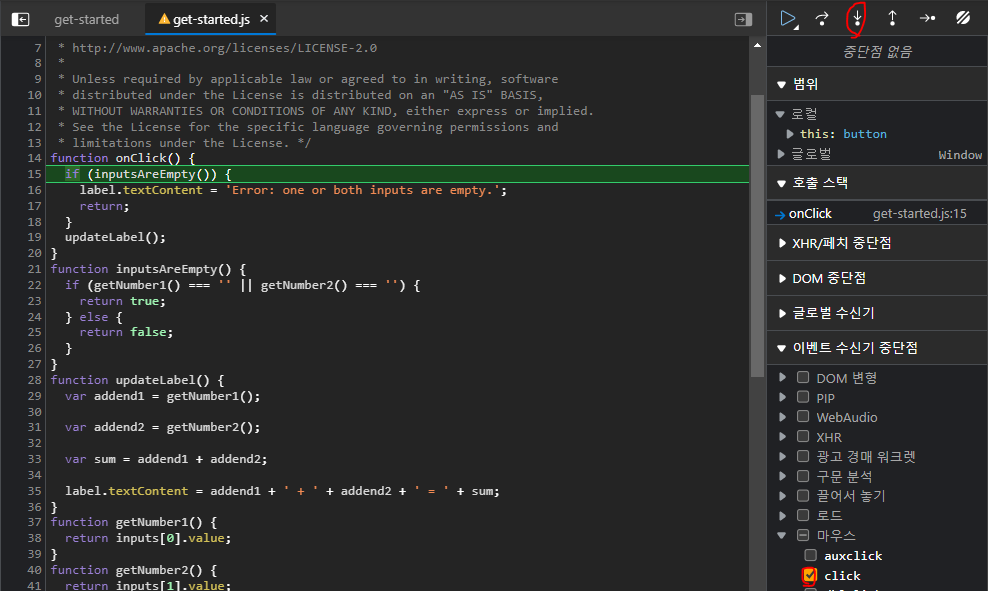
step into 다음 함수 호출로 들어가기를 누르면
메서드 안으로 들어간다.
확인해보자.
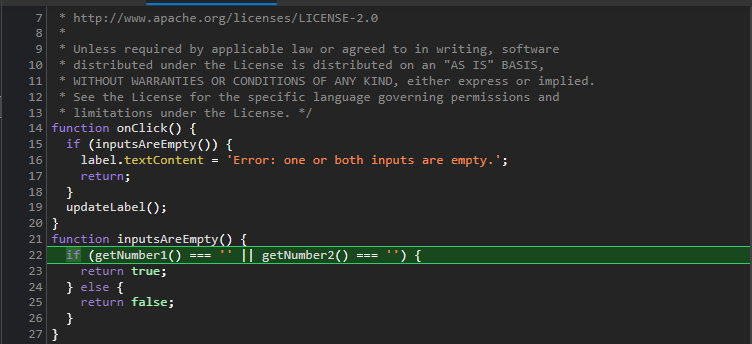
2. step over 다음 함수 호출로 넘어가기
| Step over next function call | F10 or Command+' | F10 or Control+' |

step over 다음 함수 호출로 넘어가기
아래로 흐름을 쭉 따라가고 싶을 때 누르면서 값을 읽어내려가면 된다.
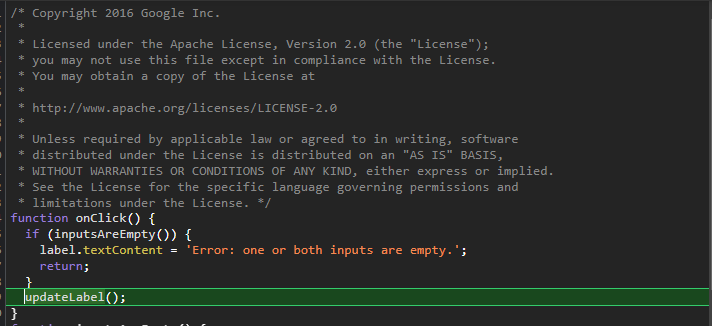
3. Step out of current function 현재 함수에서 나가기
| Step out of current function | Shift+F11 or Command+Shift+; | Shift+F11 or Control+Shift+; |
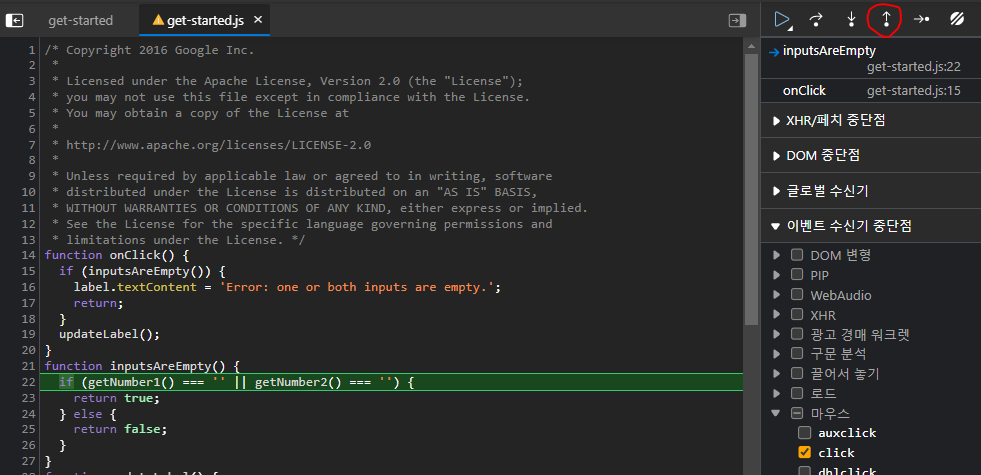
step out을 눌러주면...
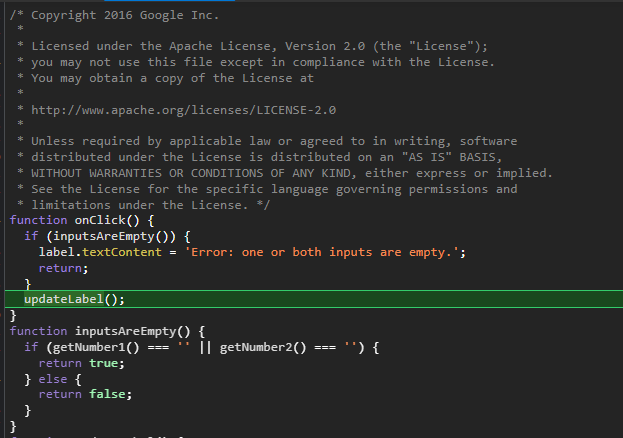
4. break point + Pause script execution (if currently running) or resume (if currently paused) 스크립트 실행 일시 중지(현재 실행 중인 경우) 또는 다시 시작(현재 일시 중지된 경우)
| 스크립트 실행 일시 중지(현재 실행 중인 경우) 또는 다시 시작(현재 일시 중지된 경우) | F8 또는 Command+\ | F8 또는 Control+\ |
| Pause script execution (if currently running) or resume (if currently paused) | F8 or Command+\ | F8 or Control+\ |

5. 호출스택

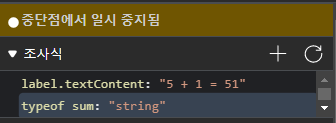
6. watch 조사식
같이 참고하면서 본 영상:
728x90