[자바스크립트] 조코딩-카카오API 활용실습
[Node.js] 무신사 상품 재입고 알림 만들기 (ver 1.1) :: 코딩 공부 일지 (tistory.com)
[Node.js] 무신사 상품 재입고 알림 만들기 (ver 1.1)
<이전 ver 1.0 개발 포스팅> https://cocoon1787.tistory.com/741 [Node.js] Node + Kakao API로 상품 재입고 알림 만들기 (ver 1.0) 🚀 이제 날이 슬슬 추워지기 시작하는 것 같고 패딩도 좀 필요해서 무신사에..
cocoon1787.tistory.com
Kakao Developers
카카오 API를 활용하여 다양한 어플리케이션을 개발해보세요. 카카오 로그인, 메시지 보내기, 친구 API, 인공지능 API 등을 제공합니다.
developers.kakao.com
jQuery
jQuery
What is jQuery? jQuery is a fast, small, and feature-rich JavaScript library. It makes things like HTML document traversal and manipulation, event handling, animation, and Ajax much simpler with an easy-to-use API that works across a multitude of browsers.
jquery.com
Downloading jQuery using npm or Yarn
jQuery is registered as a package on npm. You can install the latest version of jQuery with the npm CLI command:
npm install jqueryAjax
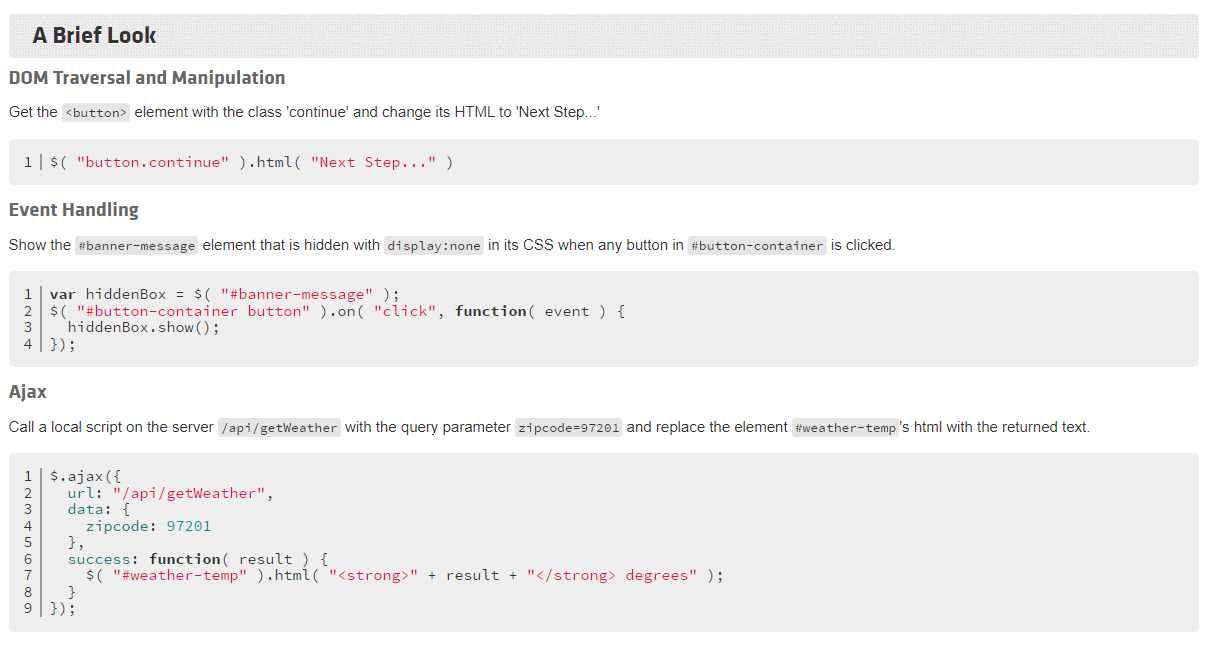
Call a local script on the server /api/getWeather with the query parameter zipcode=97201 and replace the element #weather-temp's html with the returned text.
$.ajax({
  url: "/api/getWeather",
  data: {
    zipcode: 97201
  },
  success: function( result ) {
    $( "#weather-temp" ).html( "<strong>" + result + "</strong> degrees" );
  }
});
jQuery.ajax() | jQuery API Documentation
Description: Perform an asynchronous HTTP (Ajax) request. The $.ajax() function underlies all Ajax requests sent by jQuery. It is often unnecessary to directly call this function, as several higher-level alternatives like $.get() and .load() are available
api.jquery.com
Examples:
Save some data to the server and notify the user once it's complete.
$.ajax({
  method: "POST",
  url: "some.php",
  data: { name: "John", location: "Boston" }
})
  .done(function( msg ) {
    alert( "Data Saved: " + msg );
  });
AJAX 코드 상단에는 요청에 대한 정보가 들어간다.
<script>
$.ajax({
method: "POST", //전송방식
url: "some.php", //전송주소
data: { name: "John", location: "Boston" }, //보낼 데이터
}).done(function (msg) {
alert("Data Saved: " + msg);
});
done 이후에는 요청에 대한 응답이 오면 응답을 가지고 어떤 처리를 하는 코드가 들어가게 된다.
</script>